Reuse the assets you already have
Keep images and videos in the media library and bring them into the next post. Your team can prepare content without uploading the same campaign assets each time.
Give every account a responsible person and every post a clear next step. Solnk brings assignments, review, and scheduling into one workspace for social media teams and agencies.
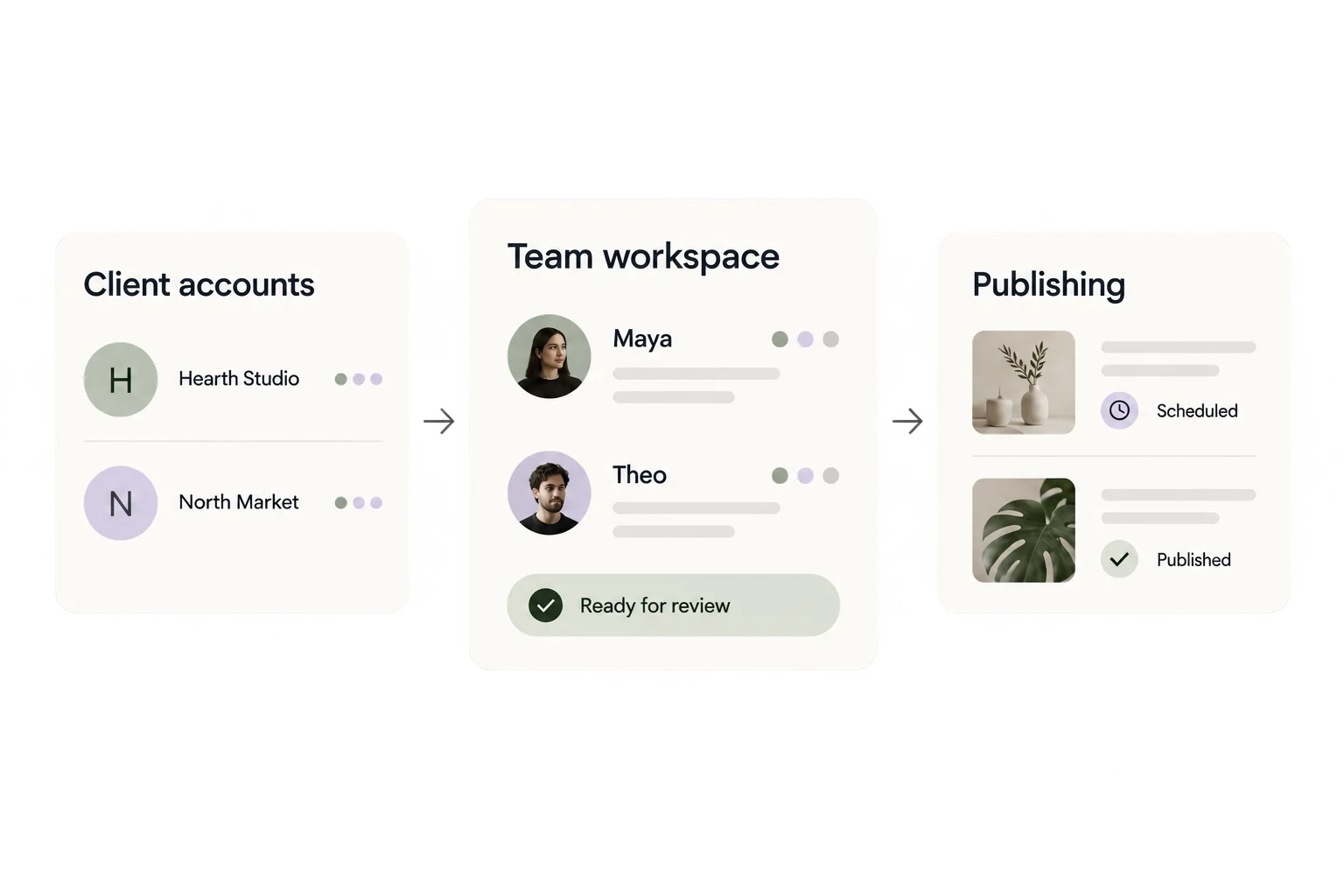
One teammate writes for a studio. Another handles a shop’s channels. Both need the right accounts in front of them when it is time to publish.
Assign social accounts to members, then group related channels by client or brand. Assignments define access; groups make selecting publishing targets easier.
A simple two-client example.
A member’s draft becomes a submission, then a decision. With team approval enabled, owners and admins review member submissions before publishing proceeds.
Bring the copy, media, and intended channels together.
Check the content before approving it for publishing.
Send the post through the publishing workflow after approval.
Approval is optional and applies at team level. Owners and admins can publish without this review step.
Keep images and videos in the media library and bring them into the next post. Your team can prepare content without uploading the same campaign assets each time.
Use the publishing calendar to organize scheduled content across connected channels. Group selection keeps a client’s accounts close at hand when building a post.
If agents prepare some of your content, send it into Solnk through API or MCP. See how AI content reaches the publishing workflow.
Up to 15 social accounts. Multiple team workspaces, unlimited members, roles, approvals, and API / MCP access.
Up to 45 social accounts and unlimited account groups, with the same team collaboration features as Pro.
No. Pro and Premium include unlimited team members. Your plan still limits connected social accounts and other usage. Pro supports up to 15 accounts; Premium supports up to 45.
No. An account group helps you select related channels together. A team workspace provides a separate team context with its own members and account assignments. Multiple team workspaces are included with Pro and Premium.
When team approval is enabled, member submissions require review by an owner or admin. Owners and admins can publish without that approval step. Approval is configured for the team, not separately for each account group.